
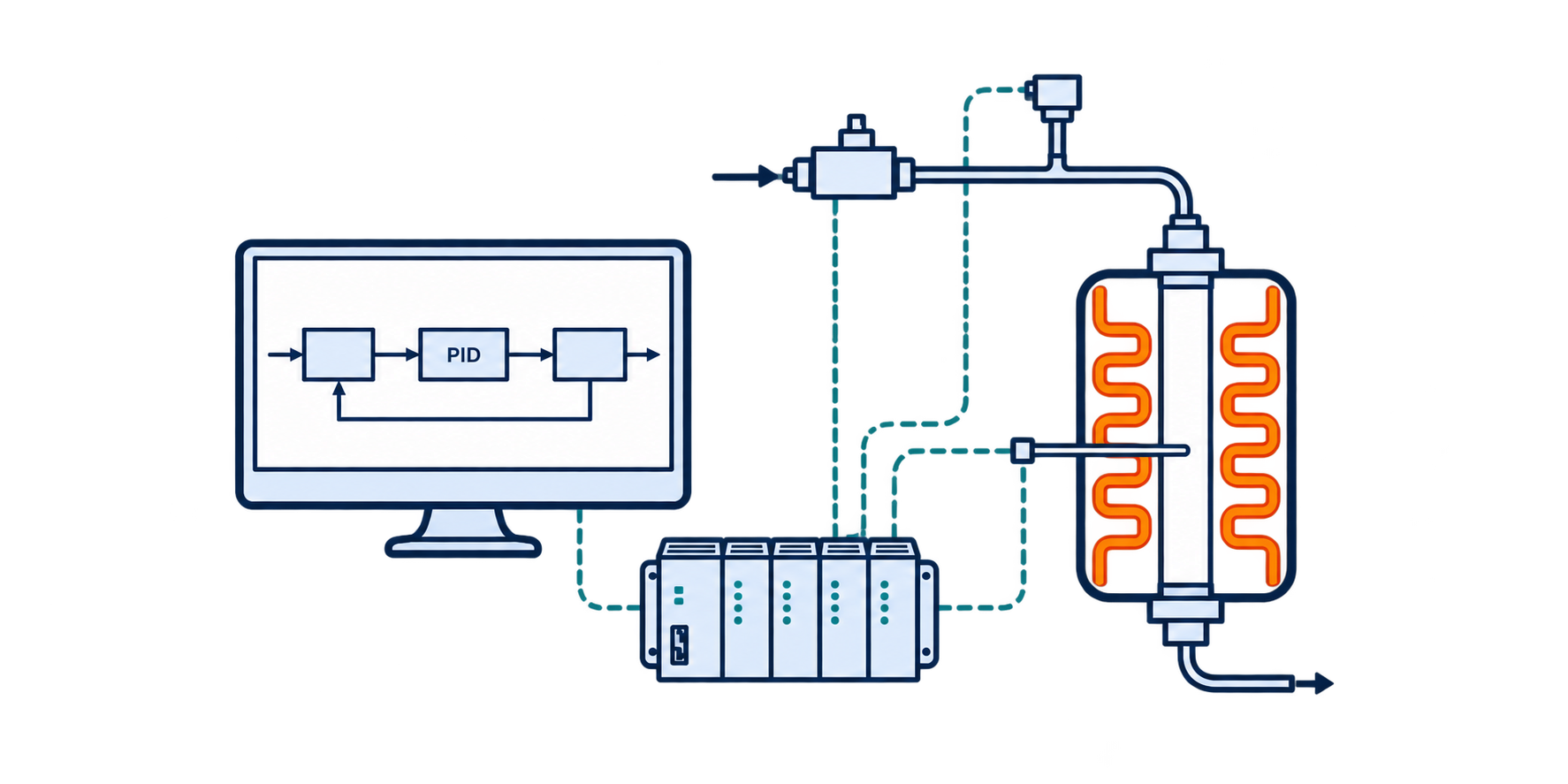
A reactor control program is easiest to build, and much easier to troubleshoot later, when the I/O is defined before the software is opened and every loop is labeled so someone else can follow it. The video below configures three primary loops on a Honeywell HC900 in Hybrid Control Designer: a heat tape temperature loop, a pressure transducer with alarms, and an analog mass flow controller. This article covers the reasoning behind those choices, which applies whatever controller you use.
If the player fails to load, watch “PLC Reactor Control Loop Configuration” directly on YouTube.
Wiring, alarm cascades, and Modbus devices are coming in later articles and videos.
Start with the I/O table
Before writing any logic, build a guide to every input and output: the tag, a description, which rack, module, and channel it lands on, the signal type, and where it will live in the strategy. Programming goes faster when you aren’t stopping to figure out where a signal is, and the table becomes the reference for wiring, checkout, and troubleshooting.
The strategy page column is easy to skip and worth keeping. When someone comes behind you to troubleshoot, it tells them exactly which page of the strategy to open.
| Tag | Description | Rack / Module / Ch | Signal | Strategy page |
|---|---|---|---|---|
| TIC-101_PV | Heat tape 1 temperature | 1 / 1 / 1 | Type K thermocouple, -18 to 982 °C | Temperature, page 1 |
| TIC-101_SP | Heat tape 1 | 1 / 5 / 1 | Time proportional output | Temperature, page 1 |
| PT-101 | Reactor inlet pressure | 1 / 4 / 1 | 4-20 mA, 0-200 psig | Pressure, page 1 |
| FIC-101_PV | N2 MFC flow | 1 / 4 / 2 | 4-20 mA, 0-200 sccm | Flow, page 1 |
| FIC-101_SP | N2 MFC setpoint | 1 / 3 / 1 | 4-20 mA, 0-200 sccm | Flow, page 1 |
Organize the program so someone else can troubleshoot it
A reactor program with a few dozen tags is manageable. One with a few hundred becomes hard to follow unless it was organized from the start, and the person troubleshooting it at 2 a.m. may not be the person who wrote it.
One setup detail is worth checking before anything else: the controller revision selected in the software should match the firmware on the controller.
Pages, titles, and notes
- One page per function. Separate pages for temperature, pressure, and flow keep each loop easy to find.
- Label every page. A colored text title at the top of each page and a page number in the corner tie the strategy back to the I/O table. These have no effect on how the loops run. They are documentation.
- Label the tags on the canvas. A text box with the loop tag (TIC-101), placed directly over its blocks in a consistent color, lets you find a loop at a glance.
- Add notes. Block descriptors are limited in length, and you will run out of characters quickly. Canvas text is not limited, so use it for the full description (“Heat tape 1, MFC to furnace”) and for notes as the system changes.
Tag names and ISA 5.1
I name tags by loop, following ISA 5.1, and add a suffix for each signal in that loop:
| Suffix | Meaning | Example |
|---|---|---|
| _PV | Process variable | TIC-101_PV |
| _SP | Setpoint | TIC-101_SP |
| _HI | High alarm | TIC-101_HI |
| _HIHI | High-high alarm | TIC-101_HIHI |
| _SB | Sensor break | TIC-101_SB |
| _OUT | Controller output | TIC-101_OUT |
Follow whatever conventions your site uses. ISA letters don’t always fit the hardware exactly.
Temperature loop
A temperature loop is a thermocouple input feeding a PID block, which drives the heating output. Here that output is a heat tape on a time proportional output. Other heating methods, such as a heated oil loop, use a different output, but the input and PID logic are the same. Most of the configuration is routine. The decisions that matter are the range, the limits, and what happens when something fails.
Match the input range to the sensor
Select the thermocouple type and range that match your sensor and service. A mismatched range is a common source of bad readings that look like process problems.
Decide how the loop starts up
After a power loss or restart, the loop comes back in whatever mode it is configured for. Deciding this up front (for example, return in automatic and retain the last mode and setpoint source) means the system behaves predictably instead of depending on someone to remember to reset it. If setpoints come only from the HMI, disable the local setpoint so there is one source of truth.
Clamp the heater output
On a time proportional output, the PID output is the percentage of each cycle the heater is on. Allowing 100% can burn out a heater, especially during startup when the loop is far from setpoint and pushing hard. Clamping the output below 100% protects it. Every heater is different, so the right clamp depends on yours.
Keep the setpoint limit below the alarms
The setpoint high limit and the alarms should work together. If the setpoint limit sits below the high alarm, and the high alarm below the high-high, an operator cannot type a setpoint that drives the loop into its own alarms.
Plan for sensor and loop failures
Two tags round out a heater loop:
- Sensor break. It goes true when a thermocouple wire breaks or the sensor fails, so the system can shut the heater down instead of heating against a bad reading.
- Loop break. Tagging the output, in percent, makes it available for a loop break alarm. That alarm catches the case where the heater and thermocouple are no longer in the same loop, usually because the thermocouple has fallen out. More on that in Loop Break Alarms: When the Thermocouple Isn’t Where You Think It Is.
Tuning comes after the loop is built. Honeywell’s Accutune works well as a starting point.
Pressure
This example is a single pressure transducer at the reactor inlet with two alarms. Pressure can also be a control loop. With a back pressure regulator, such as a Badger valve or a dome-loaded regulator, the transducer is the input and the regulating device is the output, set up the same way as the temperature loop. The output can go to two kinds of devices. In both, the controller sends an electrical signal; what differs is the device that receives it. An I/P converter turns the signal into air pressure, which drives the actuator on a pneumatic valve like a Badger valve or sets the dome pressure on a dome-loaded regulator. A motorized actuator turns the signal into mechanical movement through a gear system.
Like a thermocouple, a transducer should have a sensor break tag, so a failed sensor alarms instead of reading as a normal pressure.
High and high-high alarms
The two alarms do different jobs. The high alarm is a warning. Depending on your configuration, it might sound a horn, turn on a light, or simply alert the operator. The high-high alarm is where action happens: it can shut down part or all of the system through the alarm cascade.
The alarm values themselves come out of your HAZOP, not out of the controller configuration. Keeping the same high and high-high structure across temperature and pressure makes the alarm system easier to understand and audit.
Mass flow controller
A mass flow controller is a single component on the P&ID that needs two tags in the controller: a flow signal coming back (FIC-101_PV) and a setpoint going out (FIC-101_SP). Show the signal with as much resolution as it gives you; two decimal places in sccm is typical.
When the MFC puts out voltage
Not every MFC has a 4-20 mA signal. Many put out 0-5 VDC. In that case, configure the input for 0-20 mA and put a 250 Ω resistor across it: 5 V across 250 Ω is 20 mA, and 0 V is 0 mA. This is how I wired Brooks and Bronkhorst MFCs on this controller for over ten years.
Labeling the loop
There’s more than one reasonable way to label an MFC on the canvas. You can label the input and output blocks separately, which makes each signal obvious but adds text that can get cluttered. Or you can label the loop once and keep the blocks close together, which is cleaner but relies on the tag suffixes to tell the signals apart. Neither is wrong. Use what your site’s requirements call for, and stay consistent.
How MFCs are actually alarmed
Sensor break alarms are useful on thermocouples and transducers, but they are not typically how MFCs are protected. In practice, MFC alarms are usually one of two kinds:
- Low flow alarm, armed when the process starts. An idle MFC sits at 0 sccm, so an always-active low flow alarm would stay in alarm whenever the system is idle. An alarm that is constantly active teaches operators to ignore it. Arming it only once the process is running keeps it meaningful.
- Ratio alarm. For a fuel and oxygen feed, the hazard is the mixture, not either flow on its own. A ratio alarm watches the relationship between the two flows and alarms when it moves outside the safe range.
What’s next
With these loops in place, the system can read its instruments and control temperature and flow. What it can’t do yet is respond to its alarms. Upcoming articles and videos cover alarm cascades (how the sensor break, high-high, and loop break tags built here connect together to trigger warnings and shutdowns), Modbus mass flow controllers, and more control loops.
Related reading: